Canva vs MyHeartCraft for a Birthday Gift: Design Tool or Interactive Moment?
Deciding between Canva and MyHeartCraft for a birthday? Discover the real differences between designing a static graphic card and sending an interactive web celebration.
Published65 min read
Canva vs MyHeartCraft for a Birthday Gift: Design Tool or Interactive Moment?
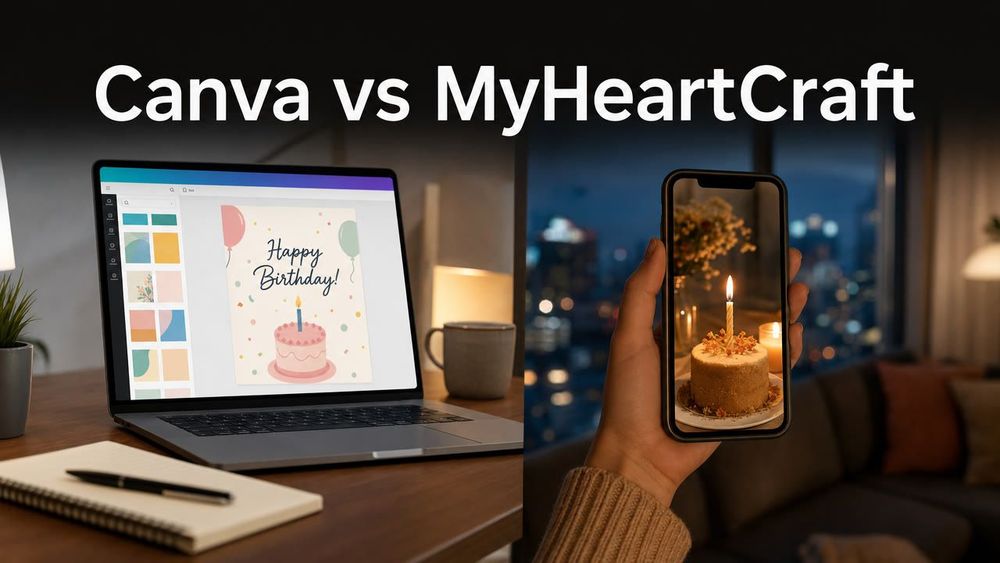
You opened Canva because their birthday is tomorrow, you are separated by distance or a busy schedule, and sending a plain text message felt too thin. You wanted to give them something thoughtful, something that proves you actually remembered and care. Yet thirty minutes later, you find yourself squinting at your screen, adjusting font sizes, dragging pastel balloon stickers across a blank canvas, and wondering whether "Happy Birthday" looks more sincere in a cursive brush script or a modern sans-serif. When you finally hit export, a sudden realization hits you: you have spent half an hour building a picture, and now you have to email or text it as an attachment like a PDF invoice.
That dilemma is the heart of the canva vs myheartcraft question. Most people searching for a digital birthday card assume their only choice is between an ugly corporate ecard from the early 2000s and designing their own graphic from scratch in a tool like Canva. Canva gives you an empty design board and thousands of templates, letting you assemble colors, photos, and typography into an image file. MyHeartCraft, by contrast, gives you a live, shareable celebration: a dedicated link where the birthday person blows out virtual candles on a 3D cake, triggers celebratory confetti, and unfolds a private letter you wrote just for them.
We already published a high-level comparison exploring gift memorability and the broader psychology of digital celebrations on our main site: read our companion guide on Canva vs MyHeartCraft birthday gifts. This article serves a different, more immediate purpose. This is your practical, on-the-ground decision manual for the birthday sitting right in front of you tonight. We are going to look closely at what actually happens on your recipient's phone, how much time each tool demands, where Canva genuinely shines, where it falls flat, and how sending a virtual birthday celebration changes the entire dynamic of an online greeting.
Choosing between them is not an argument over which software has prettier icons. It comes down to a fundamental question of format versus human experience: do you want your recipient to look at a graphic you made, or do you want them to step inside a celebratory moment you set up for them?
What Is the Fundamental Difference Between Canva and MyHeartCraft?
The fundamental Canva vs MyHeartCraft difference is the difference between visual authoring software and participatory digital gifting. Canva is a general-purpose graphic design tool built to produce static visual assets like JPEGs, PNGs, and printable PDFs. MyHeartCraft is a dedicated digital gifting platform built to deliver an interactive web experience where the recipient blows out virtual candles, pops celebratory effects, and reads a personal letter inside their browser.
To understand why this distinction matters so much on someone's birthday, you have to look at what both platforms were actually built to accomplish.
Canva was founded to democratize graphic design. It was created so that small business owners, social media managers, teachers, and students could create polished visual media without needing to master complex, professional design suites. When you use Canva, you are acting as an art director. You choose a canvas size, select background palettes, place photographic frames, align headings, and tweak visual balance. The software gives you total creative control over the visual plane. But its output is always an artifact: a digital document, a flat picture, or an MP4 video clip that plays from beginning to end without user interaction.
MyHeartCraft was built from the ground up for personal relationships and emotional occasions. It is not an image editor or a layout canvas. You do not align margins, choose grid systems, or manipulate vector graphics. Instead, you step into the role of a host planning an intimate, digital surprise. Through the Virtual Birthday Bash experience, you configure celebratory elements: selecting cake aesthetics, arranging candles, personalizing the celebratory atmosphere, and writing an intimate letter. The output is not a downloaded file you have to attach to a message. It is a secure, unique web link that opens directly on any mobile device or desktop browser without requiring an app download or account creation.
Here is how the core architecture compares when you look at both platforms side by side:
| Feature / Dimension | Canva Birthday Card | MyHeartCraft Virtual Birthday Bash | |---|---|---| | Core Platform Identity | Visual graphic design and desktop publishing suite | Dedicated interactive digital gifting platform | | Final Output Format | Image file (JPEG, PNG), document (PDF), or video (MP4) | Private, interactive web link (HTTPS URL) | | Recipient Action | Passive viewing (looking at an image or watching a clip) | Active participation (tapping, blowing candles, unfolding letter) | | Creation Focus | Visual layout, font pairing, decorative elements | Ceremonial atmosphere, personalization, heartfelt writing | | Recipient Software Needs | Image viewer, messaging app, or PDF reader | Any standard web browser (Chrome, Safari, Edge) | | App Install Required? | No app required for recipient to view standard image files | No app required; works directly on web | | Interactive Rituals | None (static graphic or looping linear animation) | Yes (virtual candle extinguishing, confetti, progressive reveal) | | Tangible Printability | Superb (high-resolution print exports, print-on-demand) | None (designed purely for digital interactive moments) | | Ideal Use Case | Physical cards to hand over in person, party posters, invites | Long-distance birthdays, midnight surprises, emotional links |
When you look at this table, you can see why comparing canva vs myheartcraft purely on graphic features misses the point. If your goal is to print a physical paper card to slip inside an envelope with cash and hand over at a restaurant dinner, Canva is a wonderful tool. It gives you complete typographic freedom and sharp print-ready exports. But if your recipient is five hundred miles away, or if they are sitting on their couch at midnight reading your text, handing them a flat image file creates a very different emotional outcome than inviting them into an interactive celebration.
What Happens When Your Recipient Opens the Gift? A Mobile Unboxing Teardown
Opening a Canva birthday card on a mobile phone usually means viewing a static image attachment inside a chat thread, which takes about six seconds of passive scrolling before vanishing into camera roll history. Opening a MyHeartCraft link launches a full-screen, participatory web celebration where the recipient actively blows out candles, triggers confetti, and unlocks a personal letter.
To understand why the digital format matters so deeply, we have to look at the exact sensory and behavioral steps a recipient takes when they open both gifts on their phone. Almost all digital greetings today are consumed on mobile devices, usually through messaging platforms like WhatsApp, iMessage, Instagram Direct, or Telegram. The mobile screen is an intensely intimate and distraction-filled space. How a gift behaves on that glass surface determines whether it feels like a passing notification or a genuine milestone.
Journey A: The Canva Experience on Mobile
Imagine your best friend waking up on their birthday morning. Their notifications are buzzing with social media alerts, work emails, and automated brand greetings offering ten percent discount coupons. They open your text message and see an image preview or a file attachment.
Here is the exact progression of what happens next:
The Delivery: The recipient sees a thumbnail attachment in your chat thread. It looks identical to any other photo, screenshot, or meme you might have sent them during the week.
The Tap: They tap the thumbnail. The phone's native image viewer opens against a black or white background.
The Scan: Their eyes scan the graphic. If you spent twenty minutes choosing an elegant cursive font, they often have to pinch and zoom with two fingers to read your message, especially if the card was formatted in a square or traditional folded card aspect ratio that does not naturally fill a vertical smartphone screen.
The Response: They read "Happy Birthday to an amazing friend!" superimposed over a pastel floral pattern. They appreciate the gesture. They tap the heart icon on your message, type "Aww thank you so much! Love this! ❤️", and press send.
The Archival: They swipe back to their chat list. The image is automatically saved into their camera roll, tucked between screenshots of grocery lists, receipts, and accidental pocket photos. Within forty-eight hours, it has scrolled off screen.
The entire engagement lasts approximately six to ten seconds. It is polite, it is kind, but it is fundamentally passive visual consumption. The recipient did not do anything; they simply looked at a graphic.
Journey B: The MyHeartCraft Experience on Mobile
Now look at the exact same morning, but with a MyHeartCraft celebration link.
The Delivery: Your message arrives with a clean link preview and a short note: "Happy Birthday! Turn your sound on and open this when you have two minutes to yourself."
The Tap: They tap the link. There is no app store redirect, no prompt to sign up with Google, and no password to create. Their native mobile browser (Safari, Chrome, or Samsung Internet) opens instantly to a full-screen, custom-rendered celebratory stage.
The Arrival: The screen comes alive with depth, lighting, and celebratory audio. Before them sits a personalized 3D birthday cake customized with their favorite aesthetic colors, glowing with lit birthday candles. Confetti floats gently in the background.
The Action: The screen prompts them to make a wish and blow out the candles. They tap or blow into their device. The flames flicker, extinguish in a puff of smoke, and the screen erupts into dynamic celebratory confetti physics accompanied by cheer and celebratory chimes.
The Reveal: With the ceremonial ritual complete, the interface smoothly transitions. A personal letter card unfolds on the screen, presenting the message you took time to write. Because the celebratory ritual set the stage, they read your words with undivided attention, immersed in an intimate moment built specifically for them.
The Memory: They did not just read a graphic; they engaged in an interactive ritual. They smile, take a screen recording or screenshot of the candle blowout, and text you back with genuine surprise: "How did you make this?! That was the sweetest thing anyone has sent me today!"
When you compare canva vs myheartcraft through the lens of mobile unboxing, the difference is obvious. Physical gifts have always relied on the thrill of unwrapping, the tactile sound of tearing paper, the anticipation of lifting the lid off a box. A static JPEG removes all anticipation. An interactive link restores digital unboxing by making the recipient an active participant in their own celebration.
The Psychology of Digital Gifting: Why Visual Effort Does Not Equal Emotional Impact
Visual effort does not equal emotional impact because human beings remember how a gift made them feel, not how much time was spent selecting color palettes or fonts. Spending forty-five minutes in a design editor produces a neat graphic, but participatory rituals create emotional presence by engaging the recipient's senses, agency, and curiosity.
There is a psychological trap that catches almost everyone who attempts DIY digital gifting: the Graphic Designer Fallacy. When we want to show someone how much they mean to us, our natural impulse is to put in effort. Effort is the currency of love. In the analog world, effort meant driving across town to find their favorite pastry, hunting down a rare book, or spending three hours hand-drawing a scrapbook page.
When we sit down in front of a digital design canvas like Canva, our brain equates graphic manipulation with emotional effort. We think:
"If I spend fifteen minutes finding the exact right shade of lavender, they will know I care."
"If I test twelve different serif fonts until I find one that looks sophisticated, it shows high effort."
"If I add three decorative star illustrations and a textured paper background, the gift becomes more valuable."
The Effort Disconnect
The painful reality of digital gifting is that the recipient does not perceive that effort. When someone receives a JPEG on their phone, they have no idea whether you spent forty-five minutes hand-crafting every pixel or three seconds downloading a free stock template from Google Images. To the recipient's brain, a flat image is just a flat image.
Worse, focusing on graphic layout drains your cognitive energy away from the one thing that actually drives emotional impact: what you write. When you spend thirty minutes wrestling with text box margins and layer orders in Canva, you end up emotionally exhausted. By the time you get to the text box where you are supposed to write your message, you type something generic: "Happy Birthday! Hope your year is full of joy and happiness!" You spent ninety percent of your creative stamina decorating the envelope and ten percent writing the letter inside.
The Power of Participatory Rituals
Why have human beings blown out birthday candles for centuries? The tradition dates back to ancient Greece, where round honey cakes topped with glowing tapers were brought to the temple of Artemis to mimic the glow of the moon. The smoke was believed to carry prayers and wishes upward into the heavens. Over the centuries, every culture has preserved the core ritual: gather, light the fire, make a secret wish, extinguish the flame, celebrate.
A birthday is not just an exchange of data; it is an emotional rite of passage. When you strip away the ritual and replace it with a picture of a cake, you remove the participatory magic.
In psychological terms, active agency creates emotional anchoring. When a person performs an action, whether it is tapping the screen to blow out a candle, popping virtual celebratory balloons, or turning a virtual page, their brain shifts from passive observation to active engagement. Dopamine and oxytocin are released not by looking at someone else's graphic design, but by participating in an event designed specifically around their existence.
This is where the canva vs myheartcraft debate resolves on a psychological level. Canva asks your recipient to be a spectator admiring your visual taste. MyHeartCraft asks your recipient to be the guest of honor blowing out their own birthday candles and making a wish. One provides visual aesthetics; the other provides emotional resonance.
The Neuroscience of the Thumb Scroll: Why Breaking Pattern Matters
To appreciate why a static image fails to create a lasting memory on a smartphone, we have to examine modern smartphone habits. The average person scrolls through roughly three hundred feet of social media and messaging content every single day. The human thumb moves on autopilot. We flick through photos, double-tap memes, swipe away notifications, and skim headlines without engaging our prefrontal cortex. This is known in cognitive psychology as the "passive scanning state."
When a birthday greeting arrives as a flat JPEG or PNG inside WhatsApp or iMessage, it conforms perfectly to the passive scanning pattern. The recipient's brain categorizes it as standard visual feed content. They glance, decode the message in a fraction of a second, tap a reaction, and immediately resume scrolling. Because no cognitive effort or physical interaction was demanded, the brain marks the interaction as low priority and drops it from short-term memory consolidation within minutes.
An interactive celebration breaks the thumb scroll by introducing cognitive friction in the best possible way: through playful participation. When the recipient taps a link and is presented with a glowing 3D cake, the autopilot mechanism disengages. The screen demands presence: "Make a wish and blow out the candles." The recipient stops moving their thumb. They pause, focus their visual and auditory attention, and make a conscious physical choice to touch the screen or blow into their microphone. That simple physical interruption resets their cognitive rhythm. By the time your letter unfolds, their brain is in an attentive, receptive state, prepared to absorb your personal words deeply.
The Evolution of Digital Birthday Greetings: From 1990s Ecards to Modern Web Celebrations
The skepticism many people feel toward digital birthday cards is rooted in thirty years of frustrating digital history: early ecards were spammy, advertisement-heavy, and required browser plugins, while modern interactive web celebrations deliver instant 3D immersion through clean, private links.
To understand why the debate between canva vs myheartcraft exists today, you have to look at how we arrived at this crossroads. For over three decades, people have tried to replace the traditional paper greeting card with digital technology, and for most of that time, the results were underwhelming.
The First Wave: The 1990s and Early 2000s Ecard Boom
In the late 1990s, websites like Blue Mountain Arts, American Greetings, and Hallmark launched the original digital ecards. At the time, sending an animated card via email felt novel. But within a few years, the format degraded:
Email Spam Filters: Ecards routinely landed in junk folders because scammers began mimicking ecard notification emails to distribute computer viruses and malware.
Aggressive Advertisements: Opening an ecard required navigating through pop-up banners, flashing advertisements, and aggressive subscription upsells.
Browser Plugin Dependencies: Early interactive cards relied on Adobe Flash Player. If your browser lacked the right plugin or your internet connection was slow, the card failed to load, leaving the recipient staring at a broken grey box.
By the late 2000s, receiving an ecard felt cheap, risky, and irritating rather than thoughtful.
The Second Wave: Social Media Walls and Messaging Stickers (2010–2020)
As Facebook, Instagram, and WhatsApp took over communication, personal email greetings faded. Birthday wishes shifted to public profile walls. But this introduced a new problem: extreme superficiality. A birthday morning became a chore of reading through seventy nearly identical messages: "HBD! Have a great one!" The intimacy of a personal card was replaced by public social signaling.
People who still wanted to send something personal began turning to messaging apps, texting animated GIFs, bitmojis, or digital stickers. While convenient, these assets lacked ceremony. Sending a dancing cartoon character on WhatsApp takes two seconds and carries virtually zero emotional weight.
The Third Wave: DIY Graphic Design Tools (2020–Present)
Enter Canva and the DIY design movement. With powerful, accessible web design software, people thought: "I won't send a cheesy ecard or a lazy text; I will design my own card from scratch." This was a massive aesthetic improvement. For the first time, ordinary people could choose elegant typography, curate personal photos, and produce visuals that looked like they came from a boutique stationery shop.
Yet as millions of people adopted Canva for birthdays, the fundamental limitation of the format became clear. A graphic design tool creates a picture. It does not create an experience. Handing someone a digital image attachment on their phone still lacks the tactile thrill of unwrapping a present or blowing out candles.
The Fourth Wave: Dedicated Interactive Web Celebrations
This brings us to the present era. Modern web technologies(particularly responsive WebGL, dynamic CSS animations, and lightweight mobile web standards)now allow developers to build immersive, tactile 3D environments that run directly inside mobile browsers without plugins or downloads.
MyHeartCraft represents this fourth wave. Instead of asking you to design a static graphic or settling for a thirty-year-old ecard format, it lets you send a live, interactive celebratory space. It restores the ancient human rituals of birthday celebrations(fire, wishes, fanfare, personal letters)while utilizing the instant convenience of a mobile web link.
What Exactly Is MyHeartCraft's Virtual Birthday Bash? (Feature & Ritual Anatomy)
MyHeartCraft's Virtual Birthday Bash is a personalized 3D web celebration delivered as a private, shareable link. It allows the sender to customize a virtual cake, set up an interactive candle-blowing ritual, trigger celebratory confetti effects, and write an intimate birthday letter that the recipient unlocks directly in any mobile browser without installing an app.
To see why this experience operates in an entirely different category than a standard graphic design export, let's break down the exact product anatomy of what you build on the Virtual Birthday Bash platform.
1. The Ceremonial 3D Cake
At the center of the experience is a fully rendered 3D birthday cake. As the creator, you are not drawing shapes or placing vector clip art. You select the visual presentation, color theme, and decorative styling that matches the recipient's personality, whether they prefer minimalist elegance, playful vibrancy, or cozy warmth. The cake is rendered in real-time web 3D, meaning it has depth, dynamic lighting, and glowing candle flame animations that feel tactile and responsive rather than flat.
2. Interactive Candle Blowing
This is the core ceremonial feature that no static graphic or video file can replicate. When the recipient opens the link, the candles on the cake are lit, casting warm light across the screen. The interface prompts them to pause, make a birthday wish, and extinguish the flames. Depending on their device and browser permissions, they can tap to blow or interact directly with the screen. When the candles go out, realistic smoke wisps rise, and the celebration immediately triggers into high gear.
3. Confetti Physics and Atmospheric Audio
Extinguishing the candles is immediately met with a burst of celebratory confetti physics and uplifting audio cues. The confetti particles bounce and drift dynamically across the phone display, creating a genuine sense of fanfare. If you have ever been in a room when a surprise party is sprung and everyone yells "Surprise!", that sensory rush of sound and color is what this sequence captures in digital form.
4. The Unfolding Personal Letter
Once the celebratory fanfare peaks, the interface gracefully transitions to reveal the emotional core of your gift: your personal letter. This is not a cramped two-line caption squeezed beneath a photo. It is a beautifully formatted, distraction-free reading card designed for thoughtful, heartfelt prose. You can write as much as you need, sharing memories, expressing gratitude, and reminiscing about shared milestones. Because the recipient just completed an interactive ritual, their attention is completely focused on your words.
5. Frictionless Link Delivery (Zero App, Zero Account)
Perhaps the most crucial engineering decision behind MyHeartCraft is its total commitment to zero-friction delivery. The recipient does not need to download an application from the App Store or Google Play. They do not need to register an account, verify an email address, or remember a password. The entire experience lives at a secure web URL. You copy the link, paste it into WhatsApp, iMessage, Instagram DM, Signal, or an email, and when they tap it, the celebration loads in their browser in under two seconds.
MyHeartCraft applies this same relationship-focused design across other life milestones:
For romantic declarations and asking someone out, the Love Proposal Experience features a playful runaway "No" button that dodges taps until your partner says "Yes."
For couple milestones and intimate memories, the Surprise Photo Puzzle turns your favorite photo into a solve-to-reveal experience with custom trivia and a real-time sender dashboard.
For relationship anniversaries, the dedicated Anniversary Celebration creates an interactive timeline of your journey together.
For a complete overview of relationship-focused digital gifting, you can explore the MyHeartCraft main hub.
None of these experiences are video files, games, or generic greeting cards. They are purpose-built digital moments designed to bridge physical distance with genuine human emotion.
What Does Canva Actually Offer for Birthdays? (Capabilities and Limits)
Canva offers an expansive library of customizable graphic templates, sophisticated typographic tools, stock illustration assets, and export options including JPEG, PNG, PDF, and MP4 video. While it is an exceptional platform for designing printable paper stationery and visual social media graphics, it is fundamentally an authoring canvas that lacks interactive web mechanics, celebratory rituals, or dedicated digital gifting workflows.
To evaluate canva vs myheartcraft fairly, we must give Canva full credit for what it does brilliantly. Canva is widely recognized as one of the most capable and accessible graphic design tools in the world. When you need visual design, it provides an extraordinary toolkit.
Where Canva Excels
Vast Graphic Variety: Canva features thousands of birthday card templates created by professional graphic designers. Whether you want vintage botanical illustrations, bold retro typography, minimalist geometric layouts, or hand-painted watercolor florals, you can find a visual theme to match virtually any aesthetic taste.
Total Typographic Control: If you have specific visual requirements, Canva lets you modify every aspect of the typography. You can change font families, adjust kerning and line spacing, curve text along an arc, add drop shadows, apply neon glow effects, and fine-tune font weights with precision.
Photo Integration and Filtering: You can easily drag and drop your own personal photos into pre-made decorative frames, remove backgrounds with a single click, apply color grading filters, and build elaborate photo collages documenting years of friendship.
Print Fulfillment Services: One of Canva's strongest capabilities is its direct connection to physical print fulfillment. If you design a birthday card in Canva, you can order physical prints directly through Canva Print, choosing premium paper stocks, linen finishes, and envelopes delivered to your doorstep.
The Limits of Canva for Digital Birthday Gifting
While Canva is brilliant at producing visual artifacts, it encounters severe limitations the moment you attempt to use it as a purely digital birthday gift.
The Static Format Barrier: No matter how much time you spend arranging graphics on a Canva board, your final export is an inert file. If you export as a PNG or JPEG, it is a flat image. If you export as a PDF, it is a multi-page document that feels like a presentation or corporate brochure. Neither format allows for live web interactions, dynamic physics, or celebratory triggers.
The "Video Card" Fallacy: Some users attempt to make their Canva birthday cards interactive by using Canva's animation timeline and exporting an MP4 video or animated GIF. You can make balloons float into the frame and letters slide across the screen. But a video is not an interactive experience. A video is something you press "Play" on and passively watch. If a friend sends you an eight-second video of animated birthday text with stock ukulele music playing in the background, it often feels like a social media advertisement rather than an intimate personal gesture.
Template Paralysis and Creative Overwhelm: Canva's massive template library is a double-edged sword. When you search "birthday card" in Canva, you are presented with thousands of competing choices. You spend twenty minutes scrolling through pastel graphics, neon banners, and novelty designs, trying to find one that feels right. Once you pick a template, you often realize the colors don't match your photos, or the pre-written quote sounds overly cheesy, forcing you into extensive manual redesign.
No Dedicated Gifting Flow: Because Canva is an open-ended design tool, it has no built-in concept of a "gift reveal." There is no envelope unsealing, no candle blowing, no progressive discovery of a hidden message. The entire card is visible the second the file opens.
In short, Canva gives you an authoring canvas, but it leaves the burden of creating an emotional experience entirely on your shoulders.
Canva vs MyHeartCraft: Feature-by-Feature Teardown Across 8 Dimensions
Comparing Canva vs MyHeartCraft across eight critical gifting dimensions reveals a clean division of purpose: Canva leads in visual customization, typography freedom, and physical printability, while MyHeartCraft decisively wins in mobile recipient experience, interactive rituals, emotional retention, and speed of delivery.
To help you make the right choice for your specific situation, let's examine how both platforms perform across the eight core factors that define a digital birthday greeting.
The 8-Dimension Comparison Matrix
| Dimension | Canva Birthday Card | MyHeartCraft Virtual Birthday Bash | Winner | |---|---|---|---| | 1. Interactivity & Ceremony | Static image or passive auto-playing MP4 video | Real-time candle blowing, confetti physics, progressive reveal | MyHeartCraft | | 2. Recipient Experience on Mobile | Image viewer or file attachment in chat thread | Full-screen, responsive 3D web celebration in browser | MyHeartCraft | | 3. Recipient Friction | Low (opens image viewer) or High (if viewing via Canva view-only link) | Zero (clean HTTPS link, no app, no account, loads in 2 seconds) | MyHeartCraft | | 4. Creation Speed & Setup Time | 30 to 60 minutes (template searching, font alignment, photo cropping) | 3 to 5 minutes (select cake aesthetics, write message, generate link) | MyHeartCraft | | 5. Emotional Resonance & Memory | Moderate (appreciated as a visual gesture, quickly forgotten) | High (participatory ritual anchors long-term emotional recall) | MyHeartCraft | | 6. Visual Customization & Layout | Complete freedom (canvas grid, thousands of fonts, infinite colors) | Curated themes (pre-styled 3D cake aesthetics, elegant typography) | Canva | | 7. Multi-Photo Collages | Unlimited photos, custom grids, image masking, filters | Focused on ceremonial ritual and personal written letter | Canva | | 8. Physical Printing & Tangibility | Excellent (print-ready high-res PDF exports, Canva Print service) | None (designed exclusively as an interactive digital web experience) | Canva |
Detailed Analysis of Key Dimensions
Dimension 1: Interactivity & Ceremony
In any digital celebration, ceremony is what separates a routine greeting from a memorable event. In Canva, interactivity is virtually non-existent. You can export an animated MP4 file with moving stickers, but the recipient cannot touch, control, or alter anything on the screen. In MyHeartCraft, ceremony is the entire product architecture. The recipient cannot read your personal letter until they extinguish the glowing candles on their cake. That deliberate pacing creates suspense, smiles, and genuine emotional investment.
Dimension 2: Recipient Mobile Ergonomics
Over ninety percent of personal birthday greetings are opened on a smartphone while the recipient is lying in bed, riding transit, or taking a quick break at work. Canva cards are almost always designed on landscape or square aspect ratios intended for traditional printed card folds. When opened on a vertical phone screen, they appear surrounded by thick black borders, requiring pinching and zooming to read your handwritten notes. MyHeartCraft's Virtual Birthday Bash is natively responsive and built specifically for vertical touchscreens, filling the display with rich 3D visuals and intuitive tap targets.
Dimension 3: Recipient Friction and Access
Have you ever tried sending someone a Canva "view-only link"? While Canva allows you to share a presentation link, opening it on mobile often prompts the recipient to open the Canva mobile app, create an account, or navigate around Canva's interface chrome and toolbars. That completely shatters the emotional intimacy of a birthday morning. MyHeartCraft links are completely unbranded for the recipient: they open straight to the celebration without toolbars, login prompts, or marketing banners.
Dimension 4: Visual Freedom vs. Decision Fatigue
Canva is the undisputed champion of graphic freedom. If you have an exact vision of combining five specific family photos, matching hex-code brand colors, and arranging three different font pairings, Canva provides the sandbox to do it. But that freedom comes at the price of decision fatigue. MyHeartCraft deliberately curates its visual design so that you cannot make an ugly celebration. You choose a clean aesthetic, and the platform ensures the 3D lighting, physics, and typography look beautiful automatically.
Dimension 5: Emotional Resonance and the "Memory Anchoring" Effect
Why do certain birthdays stand out in our memories decades later while others blur together? Psychologists note that memory is deeply tied to multimodal sensory input and emotional surprise. A static graphic engages only the visual cortex, and in a very predictable way. MyHeartCraft activates auditory cues (chimes, crackling candle fire, celebration soundscapes), visual depth (3D lighting, realistic shadows, confetti physics), and tactile agency (tapping to extinguish flames). This multisensory combination anchors the memory far more effectively than an image ever could.
Dimension 6: Mobile Ergonomics and Touchscreen Flow
Designers often overlook the physical reality of how people hold and navigate their phones. Most people hold a smartphone with one hand, navigating primarily with their thumb within the natural "thumb zone." Canva designs, particularly those made on desktop computers using standard A4 or 5x7 folded card templates, are hostile to one-handed mobile ergonomics. Text is often too small to read without zooming, and buttons or links are difficult to tap accurately. MyHeartCraft's interface is engineered specifically for mobile touchscreens, placing primary interactive elements comfortably within natural thumb reach.
Dimension 7: Shareability and Social Proof
When someone receives a truly delightful birthday surprise, their first instinct is often to share it. When friends receive a Canva JPEG, they rarely show it to others because an image attachment feels ordinary. But when recipients experience a MyHeartCraft celebration, they routinely screen-record the candle-blowing animation and post it to their Instagram Stories or share it in family group chats: "Look what my friend made for me!" It turns a private gift into a moment of social celebration.
Dimension 8: Physical Permanence vs. Digital Delight
It is important to acknowledge that physical items possess a permanence that digital links do not aim to replace. A card printed from Canva can sit on a bedside table or refrigerator for months. An interactive web link is designed for the acute magic of the celebration itself: the midnight alert, the morning wake-up smile, the shared video call. Knowing whether you want a physical keepsake on a shelf or an unforgettable digital experience across distance is the fundamental dividing line between the two tools.
The Cross-Device Technology: How Interactive 3D Runs on Mobile Without an App
Interactive web celebrations rely on responsive WebGL and modern mobile web standards, allowing 3D lighting, candle flame physics, and dynamic confetti to render smoothly on virtually any smartphone without draining battery or requiring software downloads.
A frequent technical question that arises when comparing canva vs myheartcraft is: "How can a web link deliver 3D graphics, physics, and interactive candle blowing without forcing the recipient to install an app?"
Understanding the technology behind both approaches explains why the user experience feels so radically different.
The Problem with Mobile App Gifting
Many software companies that attempt to build interactive gifts make the fatal mistake of forcing users into an app store. They require the sender and the recipient to download an application from the Apple App Store or Google Play.
In the real world, this completely kills the surprise. Imagine receiving a text on your birthday that says: "I made something for you! Please go to the App Store, download this 150-megabyte application, create a user account, confirm your email address, and then I will share my code with you." Over ninety percent of recipients will abandon the process immediately. It feels like homework, not a birthday gift.
The Power of Client-Side WebGL
MyHeartCraft avoids this trap entirely by running 100% within the browser via WebGL (Web Graphics Library). WebGL is a cross-platform web standard that allows web browsers to access the graphics hardware (GPU) of your smartphone or computer directly.
Here is what happens technically when your recipient taps a MyHeartCraft celebration link:
Instant Asset Streaming: The web page payload is optimized to load in under two seconds over cellular data (4G/5G) or Wi-Fi.
GPU Hardware Acceleration: The 3D cake model, dynamic candle flames, and floating confetti particles are rendered by the recipient's phone GPU at sixty frames per second. The flames flicker naturally, the shadows react to light, and the confetti bounces according to real-time physics algorithms.
Touch and Sensor Interactivity: The browser captures native mobile touch events with zero latency. When the recipient taps to blow out the candles, the physics engine calculates the extinguishing animation and particle dissipation instantly.
Adaptive Device Performance: Whether your recipient is opening the link on a flagship smartphone, a budget Android device, an iPad, or a desktop laptop, the graphics pipeline automatically scales resolution and particle density to maintain smooth, responsive performance without overheating the phone or draining battery life.
Comparing File Formats: The Digital Footprint
| Technical Attribute | Canva Image Export (JPEG/PNG) | Canva Video Export (MP4) | MyHeartCraft Web Link | |---|---|---|---| | Data Transfer Size | 2 MB to 8 MB | 15 MB to 50 MB | Under 3 MB (streamed instantly) | | Recipient Device Storage | Saved directly to phone camera roll | Saved directly to phone video storage | Zero permanent storage consumed | | Interactive Capabilities | None (static pixels) | None (linear timeline playback) | Real-time 3D physics, user touch triggers | | Audio Synchronization | Silent | Fixed background track | Interactive audio triggered by user actions | | Screen Scaling | Fixed aspect ratio (requires zoom) | Fixed video dimensions | Fully responsive to any screen size |
When you look at this technical reality, you realize that an interactive link is not just more engaging than an image or video; it is actually lighter, faster to open, and far kinder to your recipient's phone storage.
The Time and Energy Audit: 45 Minutes of Graphic Design vs. 3 Minutes of Gifting
The time investment between Canva and MyHeartCraft reflects completely different creative priorities: creating a thoughtful Canva card typically requires thirty to sixty minutes of visual adjustments and formatting decisions, whereas setting up a MyHeartCraft celebration takes three to five minutes because all celebratory mechanics are pre-built.
Let's do an honest, minute-by-minute audit of where your time and mental energy actually go when you use both platforms.
The Canva Time Ledger (Average: 45 Minutes)
Minutes 0 to 12 (Template Hunting): You open Canva and type "birthday card" into the search bar. You are greeted with over ten thousand templates. You scroll down the endless gallery. Some look too corporate. Some look like they were made for an eight-year-old's laser tag party. Some require a premium subscription you might not have. You spend twelve minutes just picking a starting canvas.
Minutes 12 to 22 (Font and Typography Wrestling): You like the template layout, but the default message says "Wishing You a Magical Day, Sarah!" You delete "Sarah" and insert your friend's name. Suddenly, because their name is longer or shorter, the text wraps awkwardly onto two lines. You spend ten minutes shrinking font sizes, adjusting letter spacing, testing three different cursive scripts, and trying to center the text box over the background illustration.
Minutes 22 to 34 (Photo Cropping and Alignment): You decide to add two photos of you and your friend from last summer. You upload them, drag them into the canvas, and realize the photos are portrait while the template frames are square. You spend twelve minutes cropping their faces into frame circles, adjusting image brightness, and nudging decorative star stickers around the perimeter so they don't cover someone's forehead.
Minutes 34 to 40 (The Message Stall): Now you need to write the actual birthday message. But you have spent over half an hour making visual choices. Your creative energy is spent. You write three hurried sentences in the bottom corner of the card: "Happy Birthday! Hope you have the best day ever. Let's catch up soon!"
Minutes 40 to 45 (Export and Delivery Confusion): You click "Share" -> "Download". Should you download a JPEG, a high-res PNG, or a PDF Print? If you download a PDF, how do you text it? You download a PNG, air-drop it to your phone, open your messaging app, and attach it.
Total time: 45 minutes. Ratio of visual effort to emotional writing: 85% visual layout, 15% emotional substance.
The MyHeartCraft Time Ledger (Average: 4 Minutes)
Minute 0 to 1 (Aesthetic Selection): You visit the Virtual Birthday Bash creator. The interface asks you whose birthday it is and presents a clean selection of 3D cake styles and celebratory themes. You pick the visual vibe that fits your friend in sixty seconds.
Minutes 1 to 3.5 (Writing the Message): Because you didn't have to adjust font kerning, alignment margins, or sticker layers, your entire mind is fresh and focused on the person you are celebrating. You spend two and a half minutes writing a genuine, meaningful letter: thanking them for being in your life, mentioning a specific private memory from the past year, and wishing them well.
Minutes 3.5 to 4 (Preview and Share): You tap "Preview" to watch the 3D candles ignite, test the candle-blowing interaction, and review your letter card. Everything looks vibrant and polished. You generate your private link, copy it, and paste it into your messaging thread.
Total time: 4 minutes. Ratio of visual effort to emotional writing: 20% setup, 80% emotional substance.
When evaluating canva vs myheartcraft for your schedule, remember that spending forty-five minutes on Canva does not mean you created a forty-five-minute experience for your recipient. They will still look at that Canva card for eight seconds. MyHeartCraft concentrates your valuable time on the words they will remember for years.
The Paradox of Choice: Why 10,000 Templates Can Paralyze You
In his landmark book The Paradox of Choice, psychologist Barry Schwartz demonstrated that while having some choice improves our satisfaction, having an excessive abundance of choices produces decision fatigue, anxiety, and diminished pleasure. This psychological phenomenon explains why designing a birthday card in Canva often feels so surprisingly exhausting.
When you type "birthday" into Canva, you are not simply choosing a card; you are forced to make hundreds of micro-decisions:
Should the color palette be pastel, neon, earthy, or monochrome?
Should the aesthetic be minimalist, illustrative, retro, or photographic?
Is this font too playful for a close colleague, or too stiff for a best friend?
Does this balloon sticker clash with the drop shadow on the heading?
Each micro-decision consumes a small portion of your cognitive reserves. By the time you have resolved thirty visual dilemmas, your brain is fatigued. You have spent your creative energy on layout geometry rather than on personal connection.
MyHeartCraft solves this paradox through intentional curation. By limiting your choices to cohesive, beautifully styled 3D celebratory aesthetics, it eliminates visual decision fatigue. You don't have to worry about whether the colors clash or whether the text aligns properly; the platform's visual architecture handles aesthetic harmony automatically. This frees your mind to focus entirely on the one decision that actually matters: what you want to say to someone you cherish.
Privacy, Security, and Emotional Safety: What Happens to Your Personal Letters?
Personal letters written in MyHeartCraft remain completely private and accessible only through a unique, unlisted URL, whereas Canva designs are stored within cloud design libraries and flat image exports can easily be indexed, backed up, or misdirected across messaging apps.
When you create a birthday gift for someone you love, emotional safety and data privacy are paramount. You are not writing marketing copy for public consumption; you might be sharing vulnerable confessions, deep family gratitude, or private memories you would never want exposed on the open internet.
How MyHeartCraft Protects Personal Gifting Privacy
Unlisted Unique URLs: Every Virtual Birthday Bash generates a cryptographically random, unique web identifier. The link is not published to any directory, cannot be browsed by strangers, and is never linked from public search engines.
Search Engine No-Index Directives: All personalized celebration pages carry strict noindex, nofollow metadata headers. Google, Bing, and other web crawlers are explicitly instructed never to index or archive the personal letters or names on celebration pages.
No Third-Party Advertising Trackers: Unlike free ecard websites that monetize by tracking recipient browsing behavior, selling email addresses, or injecting third-party advertising cookies, MyHeartCraft provides a clean, private environment. Your recipient will never see banner ads, pop-up surveys, or marketing trackers when opening your gift.
Zero Recipient Data Harvesting: The recipient is never asked for an email address, phone number, or social media login. They simply open the link, enjoy the celebration, and close the tab.
The Privacy Landscape of Canva Birthday Cards
Canva is a cloud-based design tool. When you design a card in Canva:
Your designs reside inside your Canva user account. If you collaborate with coworkers or friends on a shared Canva team account, anyone with access to your team workspace can view your personal cards, family photos, and private birthday messages.
Exported image files (JPEGs and PNGs) carry standard EXIF metadata, which can occasionally include creation timestamps, device specifications, and file origins.
Once you send a flat image file via WhatsApp or iMessage, that image is often automatically backed up to cloud photo streams (like Apple iCloud Photos or Google Photos), where it may be processed by machine learning algorithms for photo tagging and facial recognition.
For deeply intimate, emotional letters, having a clean web link that delivers the message within a private, unindexed web session offers exceptional peace of mind.
When Is Canva Honestly the Superior Choice for a Birthday?
Canva is honestly the superior choice when you need a physical card to print on paper and hand over in person, a customized party invitation flyer, physical event decor, or a complex visual photo collage for social media. Whenever the final product must exist on paper or as an Instagram feed graphic, Canva is unbeatable.
Any fair comparison between canva vs myheartcraft must clearly identify where Canva is the right tool for the job. We never believe in pushing digital interactive links into situations where a physical or purely graphic artifact is needed.
Here are the specific scenarios where you should absolutely choose Canva:
1. The Physical Birthday Card Hand-Off
If you are attending a birthday dinner in person tonight, sitting across a table from someone, and handing them a gift bag or an envelope with cash or a gift card, do not send them a web link. Handing someone your phone across a restaurant table and saying "tap this link" is awkward.
In this scenario, Canva is brilliant. You can choose a standard 5x7 folded card template, insert personal photos, type your message on the inside spread, export as a high-resolution "PDF Print" with crop marks and bleed, and print it at home on 300gsm cardstock or pick it up from a local print shop in an hour. Canva gives you complete control over physical print dimensions that look sharp in an envelope.
2. Party Invitations and Event Signage
If you are organizing a birthday party, baby shower, or group gathering, you need an information-dense graphic asset. You need dates, times, venue addresses, RSVP QR codes, dress codes, and theme instructions arranged clearly on a page. Canva's layout tools, icon libraries, and export formats are designed specifically for event marketing. You can design the invitation in Canva, export an image to text to friends, and print matching welcome posters, table place cards, and cocktail menus for the venue.
3. Multi-Photo Scrapbook Collages for Social Feeds
If your goal is to post a public birthday tribute on Instagram Stories, Facebook, or TikTok celebrating ten years of friendship with twenty different funny photos from college, Canva is the ideal software. Its photo grid snapping, background removal, sticker libraries, and social media canvas presets make assembling complex photo collages effortless.
4. Professional Designers Who Demand Complete Layout Authority
If you are a professional illustrator or graphic designer who derives genuine personal pleasure from spending two hours perfecting drop shadows, custom vector flourishes, and bespoke color harmonies, Canva provides that creative playground. For design enthusiasts, the process of designing the card is part of their personal expression.
Recognizing these boundaries is critical. If your gift lives on paper or on a public social media wall, use Canva. But if your gift is a private, direct communication sent to someone across a screen, that is where interactive web experiences take over.
When Does an Interactive Experience Like MyHeartCraft Completely Win?
An interactive experience like MyHeartCraft completely wins for long-distance relationships, midnight birthday surprises, group chat celebrations, and last-minute gifting emergencies. In any scenario where your gift is received on a mobile screen miles away, an interactive 3D celebration creates a shared ceremonial presence that static images cannot match.
While Canva owns the realm of print stationery and visual collages, MyHeartCraft dominates every situation where distance, time zones, or mobile messaging define the interaction.
Here are the specific situations where choosing canva vs myheartcraft results in a landslide victory for MyHeartCraft:
1. Long-Distance Couples and Time-Zone Separation
When you are separated from your partner by hundreds or thousands of miles on their birthday, the physical absence hurts. You cannot cook them breakfast in bed, you cannot hand them a wrapped present, and you cannot place a real birthday cake with lit candles on their table.
Sending a Canva JPEG across WhatsApp feels painfully hollow in a long-distance relationship. It emphasizes the distance: you are over there, they are over here, looking at a picture on glass.
When you send a Virtual Birthday Bash, you bring back the missing ritual. Couples routinely open the link while on FaceTime or a video call. The sender watches as their partner blows out the virtual candles on their screen, laughs at the confetti explosion, and reads a love letter that feels intimate and alive. It transforms a distant text into a shared event.
2. The Midnight Surprise (12:00 AM Birthday Drop)
There is a universal tradition among close friends and partners: being the very first person to wish someone happy birthday the exact second the clock strikes midnight.
If you text a Canva JPEG at 12:00 AM, they glance at it, reply "Thanks bestie!! Going to sleep now, talk tomorrow!", and lock their screen. If you send an interactive link with the instruction "Open this right now at midnight," they are treated to an immersive celebration that lights up their dark bedroom with music, glowing 3D candles, and confetti. It sets an unforgettable tone for their entire birthday before they even go to sleep.
3. Group Chat Drops
When a group of mutual friends or a family circle shares a group chat on WhatsApp, iMessage, or Telegram, birthday greetings often descend into a boring wall of text: fifteen people replying "Happy Birthday!! 🎉🎂" one after another.
Dropping a MyHeartCraft celebration link into a group chat breaks the monotony instantly. Group members can open the link, watch the celebration, and share in the fun. It becomes a focal point for the entire group chat, sparking conversations, laughter, and appreciation.
4. The 11:45 PM Last-Minute Emergency
We have all been there: life gets overwhelmingly busy with work, school, or personal stress, and you suddenly realize with a shock that your close friend's birthday is tomorrow morning. You don't have time to order a physical package from Amazon, you don't have time to visit a card shop, and spending an hour in Canva wrestling with font kerning will keep you up until 1:00 AM.
In four minutes on MyHeartCraft, you can configure a customized 3D cake, write an authentic personal message, and have a high-impact celebration link copied to your clipboard. And unlike a hurried Amazon gift card that screams "I forgot until five minutes ago," an interactive celebration feels deeply bespoke, high-effort, and emotionally considerate.
Real-World Gifting Scenarios: 6 Concrete Case Studies
To understand how the Canva vs MyHeartCraft choice plays out in daily life, let's examine six distinct real-world gifting scenarios. These case studies highlight how format, timing, and relationship dynamics determine which tool delivers the best outcome.
Case Study 1: Maya and Jordan (Long-Distance Partners Across 3 Time Zones)
The Situation: Maya lives in London; Jordan lives in New York. They have been dating for two years, navigating a five-hour time difference. On Jordan's 26th birthday, Maya wanted to send something special the moment he woke up in Manhattan.
The Canva Attempt: The previous year, Maya spent two hours building a Canva collage featuring photos from their trip to Lisbon. When Jordan woke up, he opened the image while rushing to get ready for work. He sent a quick text: "Love the photos babe! Thank you!" But Maya felt disappointed: the hours she poured into layout tweaking translated into a five-second glance on his phone.
The MyHeartCraft Shift: This year, Maya configured a Virtual Birthday Bash. She selected a warm cake aesthetic, wrote a three-hundred-word letter reflecting on their commitment, and sent the link with a note: "Call me before you get out of bed." When Jordan called on FaceTime, she watched his face light up as he blew out the virtual candles and confetti burst across his screen. He read her letter aloud, visibly moved.
The Takeaway: For long-distance relationships, interactive presence beats static visual design every single time.
Case Study 2: Alex and Sam (College Best Friends Separated After Graduation)
The Situation: Alex and Sam lived together through four years of university. After graduation, Sam moved across the country for a software engineering job, while Alex stayed in their hometown.
The Dilemma: Alex wanted to send a birthday greeting that captured their shared humor and nostalgia without feeling overly sentimental or corny.
The Canva Assessment: Alex considered making a funny meme card in Canva. But finding the right template and adjusting text boxes felt like making a slide deck for work.
The MyHeartCraft Solution: Alex used MyHeartCraft to build a birthday bash. In the letter section, Alex wrote three hilarious inside jokes from sophomore year followed by a sincere paragraph acknowledging how hard Sam had been working at his new job. Sam opened the link at his desk during lunch, blew out the candles, and immediately called Alex laughing: "I cannot believe you remembered the broken toaster incident!"
The Takeaway: When you don't have to worry about graphic layout, you can direct all your energy into writing authentic memories that truly hit home.
Case Study 3: Elena Celebrating Her Younger Brother Across the Country
The Situation: Elena's brother Leo was turning twenty-one while away at college. Elena had already sent a physical gift through the mail, but tracking showed it was delayed by weather and wouldn't arrive until two days after his birthday.
The Decision: Elena needed something immediate for his actual birthday morning so he didn't feel forgotten on a milestone birthday.
The Choice: Rather than texting a generic "Your gift is delayed!" message with a downloaded graphic, she sent a Virtual Birthday Bash link. Leo blew out the candles on his phone between morning lectures, read her sweet letter, and texted back: "Honestly this was cooler than whatever is in the mail."
The Takeaway: Digital celebrations are not just backups for physical gifts; they are powerful real-time emotional anchors when physical logistics fail.
Case Study 4: Marcus (The 11:50 PM Last-Minute Rescue)
The Situation: Marcus was lying in bed at 11:50 PM on a Tuesday when an Instagram story reminded him that his close cousin's birthday was tomorrow. He had zero gifts prepared.
The Canva Trap: Marcus opened Canva on his phone. Trying to tap tiny text boxes and align elements with his thumb on a small screen was frustrating. After fifteen minutes of fighting the interface, the card still looked sloppy.
The MyHeartCraft Rescue: Marcus switched to MyHeartCraft. Within three minutes on his phone's browser, he selected a sleek cake design, typed an honest, warm message, and copied the private link. He scheduled the text to send at 8:00 AM. His cousin replied enthusiastically that morning, convinced Marcus had planned the surprise days in advance.
The Takeaway: Mobile-first creation flow makes late-night gifting effortless and stress-free.
Case Study 5: Chloe and Her Remote Team Celebrating a Colleague
The Situation: Chloe manages a remote design team spread across four countries. One of their key product designers was celebrating a birthday.
The Choice: In remote teams, birthday cards are usually a shared Google Doc or a static flyer where everyone types their name. Chloe created a MyHeartCraft celebration and dropped the link into their team Slack channel during their morning standup. The entire team watched the recipient share their screen, blow out the candles, and read a collective letter appreciating their hard work.
The Takeaway: Interactive web links transform remote workplace celebrations from bureaucratic chores into genuine communal moments.
Case Study 6: David (Reconnecting with an Old Friend)
The Situation: David had lost touch with his high school friend over the past eighteen months following a minor misunderstanding and busy adult lives. He saw on social media that it was his friend's birthday and wanted to reach out without making things awkward or heavy.
The Choice: A long, unprompted text message might have felt too intense; a generic "HBD" on Facebook felt too distant. David sent an interactive birthday link with a warm, casual letter: "Saw it was your birthday and wanted to send some cake your way. Hope you're doing great, would love to catch up sometime." The playful, interactive nature of the cake and confetti lowered the social pressure, leading to a long phone call that weekend and a restored friendship.
The Takeaway: Interactive celebrations serve as low-friction, high-warmth bridges for relationship repair and reconnection.
Case Study 7: Liam (Celebrating a Partner's Milestone 30th From an Airport Delay)
The Situation: Liam was traveling home for his partner Sophie's 30th birthday dinner. A sudden severe thunderstorm grounded all flights, leaving him stranded at an airport terminal five hundred miles away on the eve of her milestone day.
The Emotional Stakes: Turning thirty is a major life transition. Liam had planned an elaborate physical celebration at home. Being stuck in an airport terminal on plastic seats with a dead phone battery felt heartbreaking.
The Action: While waiting at the gate, Liam plugged his laptop into a charging kiosk. He opened the Virtual Birthday Bash creator. He selected an elegant 3D cake, arranged the candles, and spent forty-five minutes writing a deeply emotional, four-hundred-word letter chronicling their decade together since meeting in college.
The Result: He sent the link at 11:59 PM with a text: "I wish I was holding you right now, but please open this at midnight." Sophie opened the link in bed, blew out the candles, and called him in tears of joy. Even though physical travel had failed, the interactive ceremony gave her an emotional milestone moment that made the miles vanish.
Case Study 8: An International Student Group Celebrating Their Professor
The Situation: A cohort of seven graduate students from six different home countries wanted to celebrate the birthday of their thesis advisor, a beloved professor who had mentored them tirelessly through their degrees.
The Dilemma: With three students currently conducting field research in South America and Europe, buying a physical gift or passing around a paper card was impossible. A static group email felt cold and bureaucratic.
The Action: One student took the initiative to set up a MyHeartCraft celebration. In the letter section, each of the seven students contributed a short paragraph thanking the professor for specific guidance on their academic journey, formatting it with their names and home countries.
The Result: They emailed the link to the professor on the morning of his birthday. The professor later told the department that watching the 3D candles blow out and reading the collective words of his students was the most touching retirement-year birthday gift he had ever received.
How to Create and Send a Virtual Birthday Bash in Under 5 Minutes (Step-by-Step Guide)
To send a Virtual Birthday Bash, visit birthday.myheartcraft.com, customize your 3D cake design, write your personal message, preview the full celebration experience, and copy your private link to share directly via WhatsApp, iMessage, Instagram DM, or email with no app download needed.
Here is the exact step-by-step walkthrough to take you from a blank screen to a delivered celebration in under five minutes.
Step 1: Open the Creator Interface
Navigate to birthday.myheartcraft.com in any web browser on your phone, tablet, or laptop. You do not need to sign up for an account or install any software. The clean creation dashboard loads immediately, presenting you with the birthday celebration builder.
Step 2: Customize the Celebratory Cake
Select the aesthetic theme and visual presentation for your 3D cake. You can choose color harmonies, decorative frosting styles, and candle arrangements that match the recipient's tastes. The real-time preview shows you exactly how the cake will look under dynamic 3D lighting when the recipient opens the link.
Step 3: Write Your Personal Message
Scroll to the letter crafting section. This is where your gift acquires its true emotional weight. The interface provides a generous, distraction-free writing space. Write directly from the heart: recall a favorite memory from the past year, thank them for their support, or share an inside joke. If you need inspiration, you can use our message templates outlined in the next section.
Step 4: Preview the Full Interactive Flow
Before finalizing your celebration, click the "Preview" button. The platform launches the complete recipient experience in your browser. You can watch the candles illuminate, test the interactive blowing interaction, see the confetti particles burst across the screen, and verify how your letter unfolds on both mobile and desktop screens.
Step 5: Generate and Share Your Private Link
Once you are completely satisfied with the experience, finalize your celebration to generate your unique, private web link. Click the copy button to grab your custom HTTPS link. Paste the link into your preferred messaging application(WhatsApp, iMessage, Instagram Direct, Telegram, or email)accompanied by a short note telling your recipient to turn their audio on.
That is the entire process. There are no software installs, no file conversions, no image compressions, and no print pickups. You create a moment, copy a link, and deliver a celebration.
What to Write in Your Birthday Letter So It Doesn't Sound Like a Hallmark Template
A memorable digital birthday message avoids generic platitudes by anchoring to a specific shared memory, acknowledging the recipient's personal growth over the past year, and articulating one concrete thing you genuinely appreciate about their presence in your life.
Whether you choose canva vs myheartcraft, the visual wrapper is only half the equation. The greatest design or interactive 3D cake in the world cannot rescue a lazy, generic message. If your card simply says "Happy Birthday! Hope all your wishes come true! Have the best day ever!", it sounds like an automated email from an insurance company.
To write a message that genuinely moves someone, use the Memory + Growth + Gratitude framework.
The 3-Part Framework for Birthday Writing
The Anchor Memory (Nostalgia & Specificity): Start by referencing one specific moment from the past twelve months. Not a summary ("We had so much fun this year"), but an exact scene: that late-night diner run where you couldn't stop laughing, the road trip where you got lost in the rain, or the quiet evening you spent talking on the balcony. Specificity triggers emotional presence.
The Growth Acknowledgment (Validation): Acknowledge something they achieved, overcame, or navigated during the past year. Did they start a new job? Move to a new city? Handle a stressful transition with grace? People crave being truly seen. Acknowledging their resilience makes them feel deeply valued.
The Concrete Gratitude (Connection): Finish by stating one tangible quality you admire in them and why your life is better with them in it. Avoid vague praise like "You're amazing." Be precise: "I love that whenever I call you with a problem, you always listen without judgment before offering advice."
Ready-to-Use Message Blueprints
Blueprint A: For a Long-Distance Romantic Partner
"Happy Birthday, my love! Sitting here thousands of miles away today is tough, but blowing out these candles with you on FaceTime is the next best thing. When I look back at this past year, my favorite memory is still that Sunday morning we spent making pancakes and completely losing track of time. You have handled so much change with work recently, and seeing your determination inspires me every day. Thank you for making distance feel small and for loving me the way you do. Make a huge wish when you blow out these candles. I can't wait until our next countdown is over."
Blueprint B: For an Inseparable Best Friend
"Happy Birthday to my favorite human! Another year older, and somehow we're still quoting the exact same terrible movies from five years ago. I was thinking about our chaotic drive back from the beach last summer and realized there is literally nobody else on earth I could be stuck in traffic with for four hours and still have fun. Thank you for always answering my calls at absurd hours and for being the most fiercely loyal friend anyone could ask for. Celebrate hard today, you deserve every bit of it!"
Blueprint C: For a Sibling or Close Family Member
"Happy Birthday! I know we don't always say these things out loud between busy weeks and adult life, but I wanted you to know how proud I am to be your sibling. Watching you build your life, tackle new challenges, and stay true to who you are has been incredible to watch this year. Thank you for always being in my corner and for understanding me in a way nobody else does. Blow out these candles, eat some real cake today, and let's celebrate together soon."
When you tuck words like these inside an interactive celebration, the card transforms from a polite greeting into a keepsake they will re-read for months.
Blueprint D: For a Remote Coworker or Professional Mentor
"Happy Birthday! Working alongside you over this past year has been one of the absolute highlights of my time on the team. I especially want to thank you for how calmly and thoughtfully you guided us through that stressful quarterly launch last month; your leadership made a world of difference to everyone. Beyond your professional brilliance, your humor and kindness brighten every single meeting we share. I hope you take time away from your desk today to celebrate and relax. You deserve all the success and joy in the coming year!"
Blueprint E: For an Old Friend Reconnecting After Time Apart
"Happy Birthday! I know it has been far too long since we last caught up properly, but when I saw your birthday on the calendar today, I was immediately flooded with memories of our crazy road trips and how effortlessly we used to talk for hours. Time and busy lives get in the way, but please know that our friendship still means the world to me. I would love to hear all about what you've been up to lately. Blow out these candles, have a wonderful day, and let's make time for a real call very soon."
The Delivery Playbook: Sending Across WhatsApp, iMessage, and Instagram
Delivering an interactive birthday link effectively requires setting expectations in your accompanying message: send the link with a brief, warm instruction telling the recipient to turn their sound on and open it when they have two uninterrupted minutes to celebrate.
How you deliver a digital link is just as important as what the link contains. If you paste a bare URL into a chat thread with no context, your recipient might think it is spam, a work document, or an accidental link share.
Here is the exact delivery playbook to guarantee maximum delight and emotional payoff.
1. The "Set the Stage" Accompanying Text
Never send a link alone. Always pair your link with a short, two-line text that builds anticipation and provides viewing instructions.
For WhatsApp & iMessage:
"Happy Birthday!! 🎉🎂 I set up a little celebration for you since I can't be there in person today. Turn your sound on and open this when you have two minutes to yourself:https://birthday.myheartcraft.com?utm_medium=blog"
For Instagram Direct Message:
"Happy Birthday! Tap this link with your volume up for a little midnight celebration from me: https://birthday.myheartcraft.com?utm_medium=blog 🎈✨"
2. Why Sound and Orientation Matter
The Virtual Birthday Bash includes subtle, high-quality celebratory audio: the gentle crackle of glowing candles, celebratory chimes when they are extinguished, and upbeat celebratory fanfare as confetti falls. Telling your recipient to turn their volume up transforms the experience from a silent animation into a multi-sensory celebration.
3. Timing and Time Zones
If your recipient lives in a different time zone, time your message strategically:
The Midnight Drop: If you want to be the first greeting, calculate their local midnight. Sending the celebration at 12:01 AM their time makes a massive impression, proving you paid attention to their clock rather than your own.
The Morning Wakeup: If midnight is impractical, aim for 7:30 AM in their local time zone. When they wake up and check their phone before getting out of bed, your interactive celebration will be the very first thing that greets them, setting a joyful tone for their entire day.
4. Group Chat Protocol
If you are sharing the link in a family or friend group chat:
"Hey everyone! Today is Sarah's birthday! I put together a little celebration for her. Everyone tap the link and help her blow out the candles: https://birthday.myheartcraft.com?utm_medium=blog"
This immediately encourages other group members to click, interact, and post their own congratulations, turning your gift into a shared social celebration.
5. Preserving the Moment: How Recipients Save the Experience
A common question people ask is: "How does my recipient keep this memory after their birthday is over?"
Because a MyHeartCraft celebration link remains active, recipients frequently bookmark the URL or save the link in their pinned messages to re-read the personal letter whenever they need an emotional lift. Also, many recipients take a quick screen-recording of the candle blowout sequence on their iPhone or Android device, creating a short video clip they save to their favorites album or share to social media.
To help them preserve it, you can include a simple closing line in your message: "Feel free to screen-record when you blow out the candles so we have it on video!" This gives them permission to capture the moment without breaking the surprise.
Frequently Asked Questions About Canva vs MyHeartCraft
What is the main difference in the Canva vs MyHeartCraft comparison for birthdays?
The main difference is the format and recipient experience: Canva is an open-ended graphic design tool that produces flat image files (JPEG, PNG) or printable PDFs, while MyHeartCraft is a dedicated digital gifting platform that generates an interactive 3D web celebration with candle blowing, confetti, and an unfolding letter delivered via a shareable link.
Can you blow out candles or interact with a Canva birthday card?
No, you cannot blow out candles or interact with elements in Canva. Canva cards are static graphics or linear video animations. While you can animate stickers to float across the screen, the recipient cannot tap to extinguish flames, trigger dynamic confetti physics, or interactively unfold their message.
Does the recipient need to install an app to open MyHeartCraft?
No, the recipient does not need to install an app, create an account, or enter a password. The entire Virtual Birthday Bash runs directly inside any standard mobile or desktop web browser (Safari, Chrome, Firefox, Edge). They simply tap your shared link, and the celebration loads immediately in full-screen mode.
How do you send a MyHeartCraft birthday celebration to someone?
You customize your 3D cake and write your letter at birthday.myheartcraft.com, preview the celebration, and copy your private, generated web link. You can paste and send that link through any messaging platform you normally use, including WhatsApp, iMessage, Instagram DM, Telegram, Signal, or traditional email.
Can I print a MyHeartCraft celebration on paper?
No, MyHeartCraft is built exclusively as an interactive digital web experience and cannot be printed on paper. If your primary need is a physical paper card to slip inside an envelope and hand over in person at a party, Canva is the superior tool because it offers print-ready PDF exports and direct print-on-demand fulfillment.
Which tool is better if I only have five minutes before their birthday?
MyHeartCraft is significantly faster and less stressful for last-minute gifting. Setting up a Virtual Birthday Bash takes three to five minutes because cake aesthetics, 3D physics, and celebration sequences are pre-built, allowing you to focus purely on your message. Designing a polished card in Canva usually takes thirty to sixty minutes of searching templates and formatting layouts.
Can I add custom music or sound effects in Canva birthday cards?
You can add audio tracks to Canva designs if you export them as MP4 video files. However, an MP4 file behaves like a video clip: the recipient presses play and passively watches it. It does not provide interactive audio cues triggered by user touch, such as the sound of candles blowing out or confetti popping upon interaction.
Does MyHeartCraft work equally well on iPhone, Android, and computers?
Yes, MyHeartCraft is fully responsive and optimized across all modern devices and operating systems, including iOS, Android, macOS, Windows, and ChromeOS. It uses modern WebGL and responsive web standards to ensure smooth 3D rendering and touch responsiveness whether viewed on a smartphone, tablet, or desktop monitor.
Can I use both Canva and MyHeartCraft together for the same birthday?
Yes, combining both tools creates a fantastic hybrid gift. You can use Canva to design a physical birthday invitation or print a keepsake photo collage for their wall, and send a MyHeartCraft Virtual Birthday Bash link at midnight as an interactive digital surprise to kick off their special day.
Why do digital birthday cards often feel like work attachments?
Traditional digital cards feel impersonal because they are delivered as image files (JPEG, PNG) or PDFs. On a smartphone, opening a flat file attachment looks identical to opening an invoice, receipt, or work document. Without interactive ceremony or progressive reveal, flat files lack the excitement and emotional anticipation of opening a real present.
Is MyHeartCraft suitable for friends, partners, and family members?
Yes, MyHeartCraft is completely versatile across all relationship types. Because the visual presentation focuses on universal celebratory elements (cakes, candles, confetti) and the emotional tone is determined entirely by the letter you write, it works wonderfully for romantic partners, best friends, siblings, parents, and remote coworkers.
How does MyHeartCraft protect the privacy of personal letters?
Every MyHeartCraft celebration generates a unique, private web URL that is accessible only to people who have the link. The platform does not publicly index your private letters, search engine crawlers cannot find them, and your personal words remain confidential between you and your recipient.
Can you schedule a MyHeartCraft celebration link in advance?
You can create your celebration and generate your unique link days or weeks before the birthday. Once you have the link copied, you can use your phone's native message scheduling features (such as scheduled messages in WhatsApp or Send Later in Apple iMessage) to have the link delivered automatically at the exact moment you choose.
What makes an interactive web celebration more memorable than a static card?
Cognitive psychology research shows that active participation anchors emotional memory far deeper than passive observation. When a recipient performs an action—making a wish, blowing out candles, watching confetti explode—their brain engages fully with the moment, making the personal letter that follows far more impactful and memorable.
Where can I find more digital relationship gifts by MyHeartCraft?
Final Verdict: Which One Should You Choose Tonight?
The decision between Canva and MyHeartCraft comes down to a clear division of medium: if your birthday greeting lives on paper or as a public social media graphic, choose Canva. If your birthday greeting lives on a smartphone screen sent directly to someone you care about, choose MyHeartCraft.
When you weigh canva vs myheartcraft for the birthday in front of you tonight, let go of the idea that more graphic design tools equal more love. Your friend, partner, or family member does not care what font kerning you selected or whether your floral border took fifteen minutes to align. What they care about is feeling celebrated, remembered, and valued.
Canva remains an extraordinary tool for the visual tasks it was built to handle. If you need a physical card to hand over at a party, if you are designing a printed invitation, or if you are assembling a public photo collage for an Instagram Story, open Canva. It gives you unmatched graphic power and crisp print fulfillment.
But if you are celebrating someone across distance, if you want to deliver an unforgettable midnight surprise, or if you need a heartfelt gift ready in under five minutes that doesn't feel like a cold email attachment, send a Virtual Birthday Bash. It takes four minutes to create, requires zero apps or accounts, and gives them an interactive moment they will smile about all day.
For a deeper dive into the broader psychology of digital gifting and gift memorability, be sure to read our companion cornerstone guide: Canva vs MyHeartCraft birthday gifts.
Take four minutes tonight, set up their cake, write what they mean to you, and send them a celebration they can actually touch.